The Drumagog Community
Find new sounds that other Drumagog users have shared.
The Community is where Drumagog users share the GOGs they make. It opens right on the LIBRARY page, where you can listen to any shared GOG before adding it to your library for free with a single click.
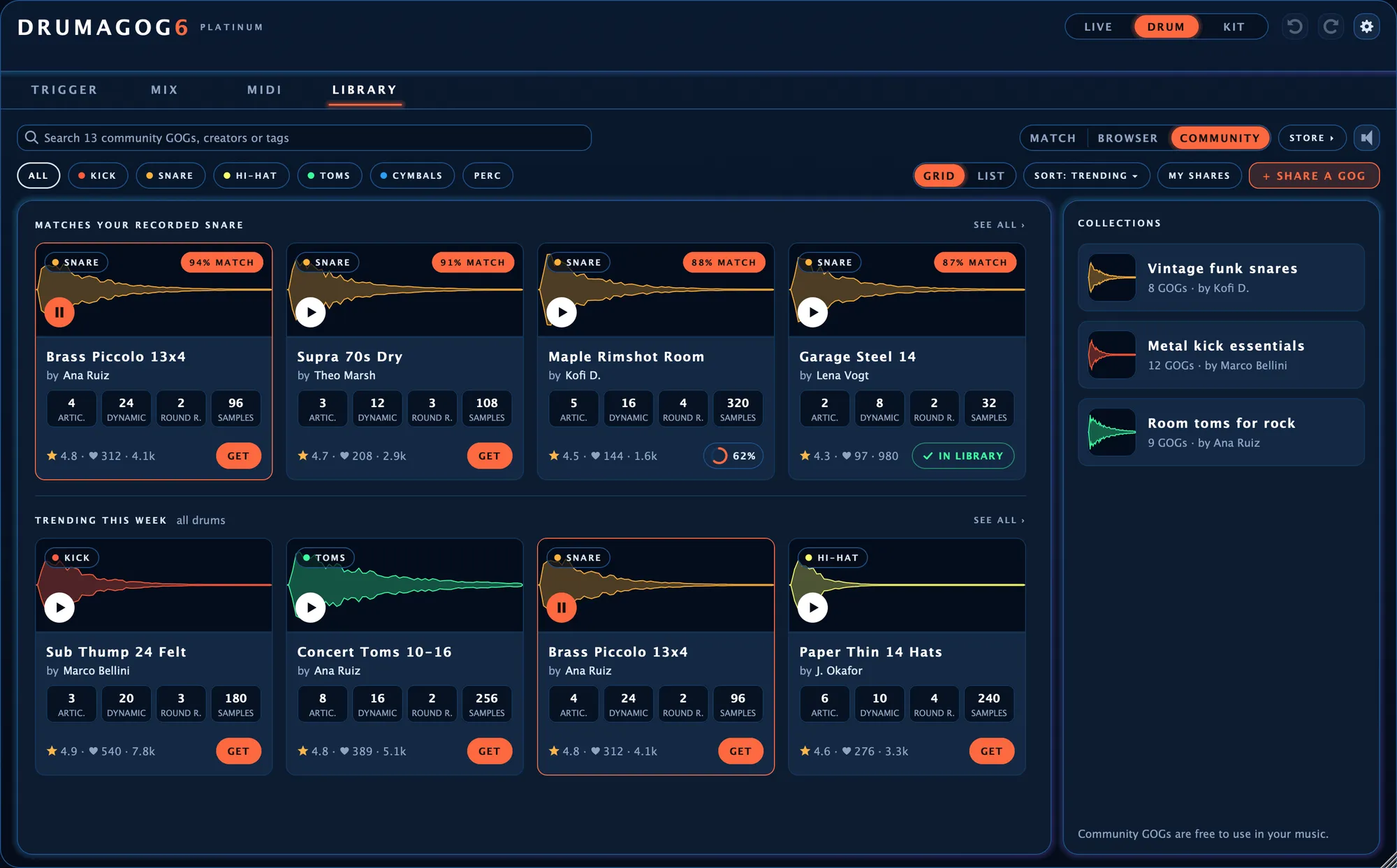
The Community on the LIBRARY page. Along the top are the shared snares that sound closest to the recorded snare.
Matched to the drum on your track.
Drumagog ranks the Community’s GOGs against your recorded drum, the same way it ranks your own library. The closest ones sit on the top shelf. Below them, TRENDING THIS WEEK shows what other users are getting most.
One click to get it
Click GET and the GOG downloads into your library while you keep working. From then on it works offline like any other GOG.
Ratings and likes
Every card shows the GOG’s star rating and likes, along with how many people got it.
New versions as updates
When someone improves a GOG they shared, UPDATE shows up beside your copy. One click brings in the new version.
Hear every articulation before you get it.
Each GOG has a page of its own, with a PLAY button for every articulation. Its soft, medium and hard previews let you hear how it changes from a light tap to a full hit.
The page also shows how many samples, dynamic groups and round robins the GOG holds. On that page, GET & LOAD ON SNARE loads it on your drum the moment it arrives.
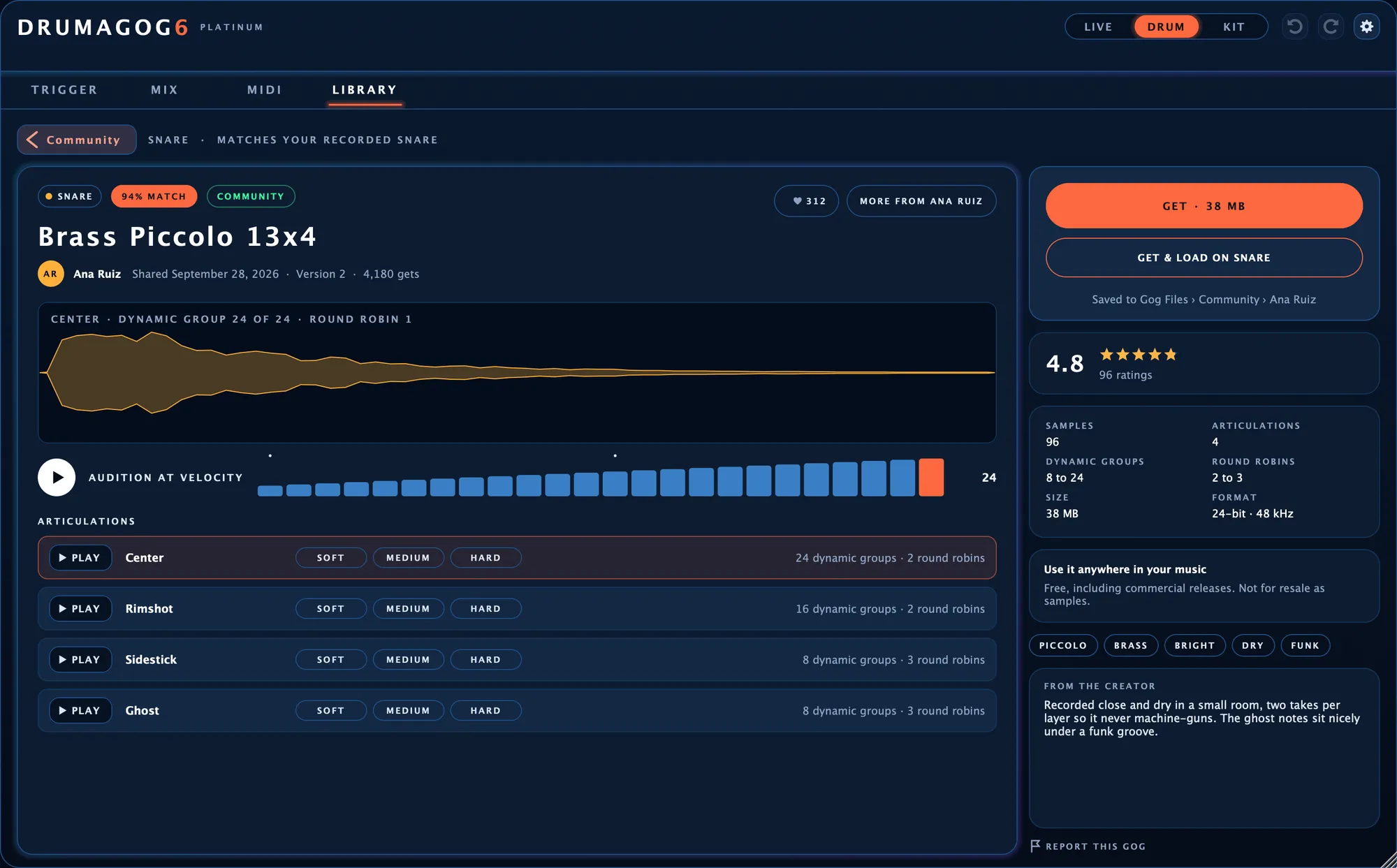
A shared GOG’s own page, with the GET buttons at the top right.
Community sounds on the similarity map.
With the Community button turned on, the LIBRARY page’s map shows every shared GOG of that drum as a ring among your own sounds. Click a ring to hear it. A double-click opens the GOG’s page.
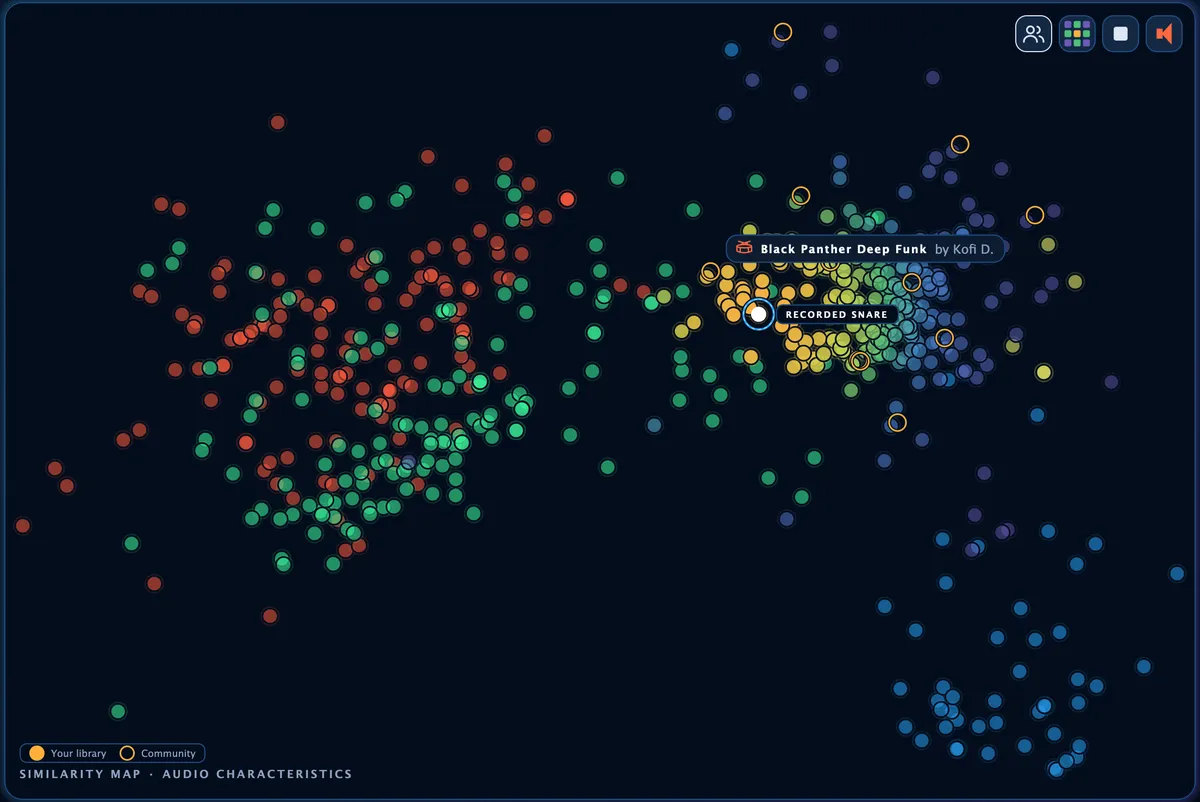
Community GOGs show as rings among your own GOGs.
Share the sounds you make.
To share a GOG you made, right-click it on the LIBRARY page and choose Share to Community. The share window shows its card exactly as other users will see it, with a waveform drawn from the sound itself.
A whole folder of single drum hits can go up in one go. Each file becomes a GOG of its own. In the Community, the GOGs from one folder stay together as a collection.
MY SHARES shows how many people got each of your GOGs, along with its rating and its likes.
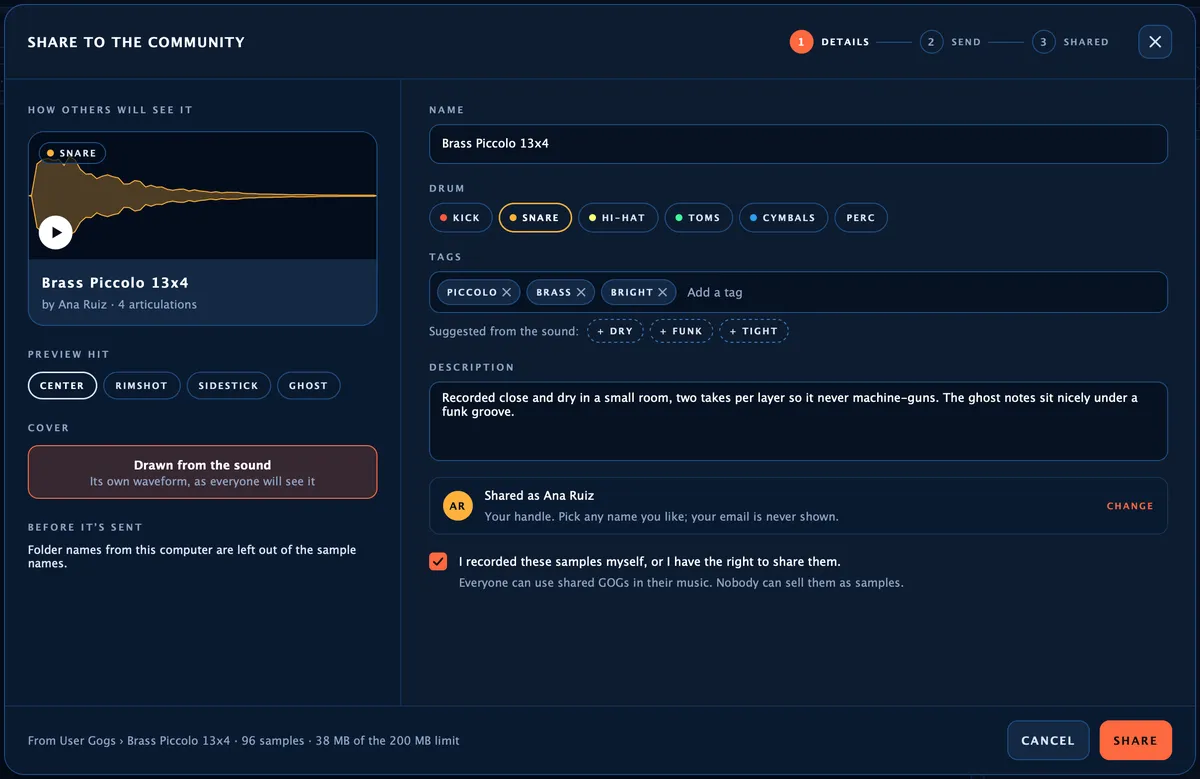
The share window, with the card on the left the way others will see it.
Free to use in your music.
Everyone may use a Community GOG in their music, commercial releases included. Read the Community terms