Sounds, GOGs & the library
Drumagog sorts your sounds by how close they are to your drum.
Drumagog 6 measures the drum on your track and ranks every GOG you own by how close it sounds. With a paid license you get the full factory library of 536 GOGs. Every GOG from earlier versions plays as it is. To build new ones, drop your own samples on the window.
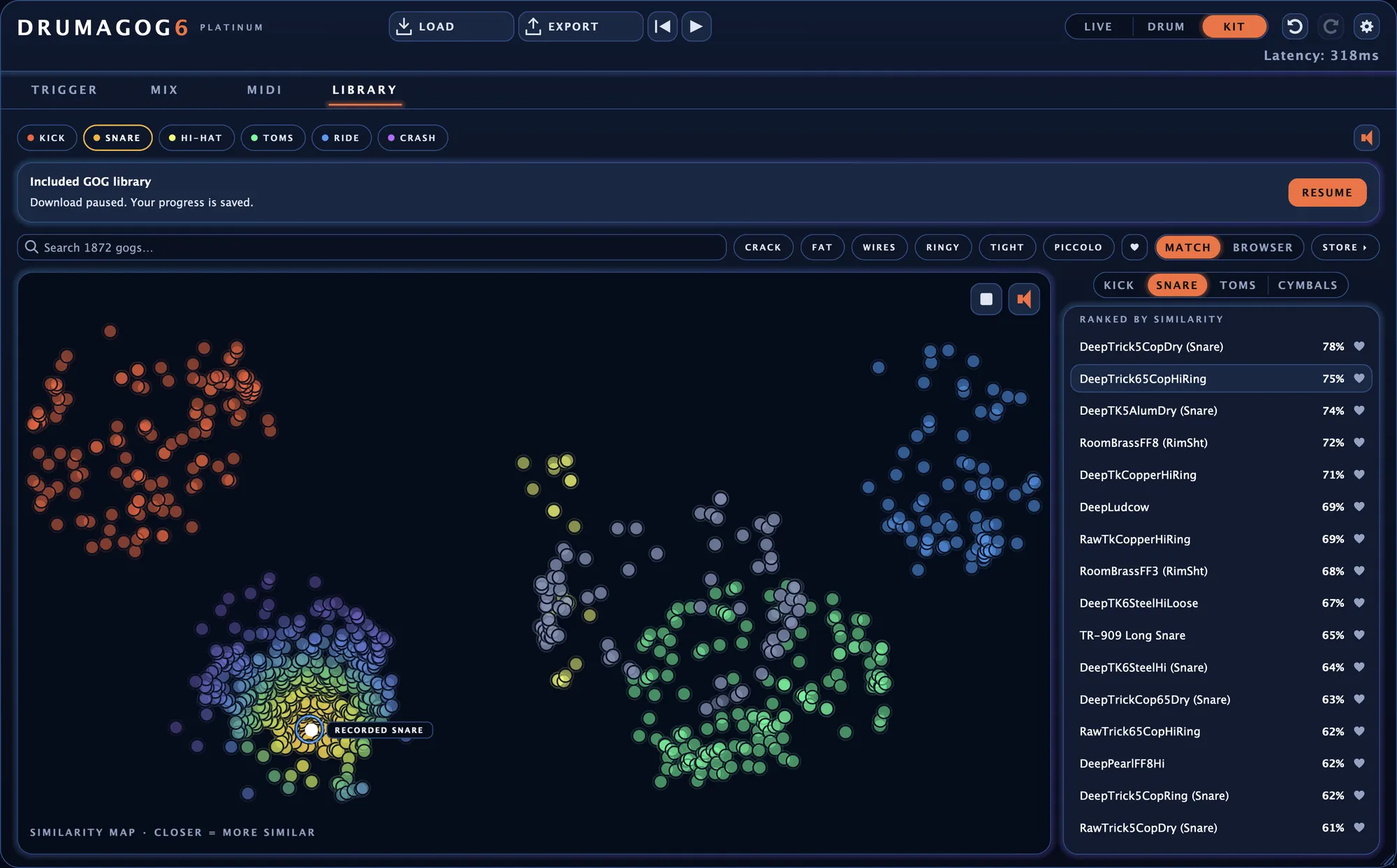
The LIBRARY page in MATCH view, with every GOG in your library on the map as a dot.
Search the library by sound.
Play the song once and Drumagog ranks your whole library against the drum on your track, with the closest matches at the top.
Instead of using a neural network to create sound fingerprints, Drumagog 6 uses a novel approach that directly measures 57 of the drum’s unique characteristics, including the drum’s attack, tone, resonance, decay and more. It compares these characteristics with sounds in your sample library to help you find a similar replacement quickly. Everything is done directly on your computer with nothing uploaded to a cloud or website.
A match percentage on every row
Each GOG in the list shows a percentage for how close it is to your drum. While the song plays, step through the matches one after another.
A map you can hover over
GOGs that sound alike sit close together on the map. A marker such as RECORDED SNARE shows where your drum lands. Hover over any dot to hear that GOG.
Six tags measured from the sound
Each kind of drum has six descriptor tags measured from the sound itself. A snare gets CRACK, FAT, WIRES, RINGY, TIGHT and PICCOLO. Click one to narrow the list to that character.
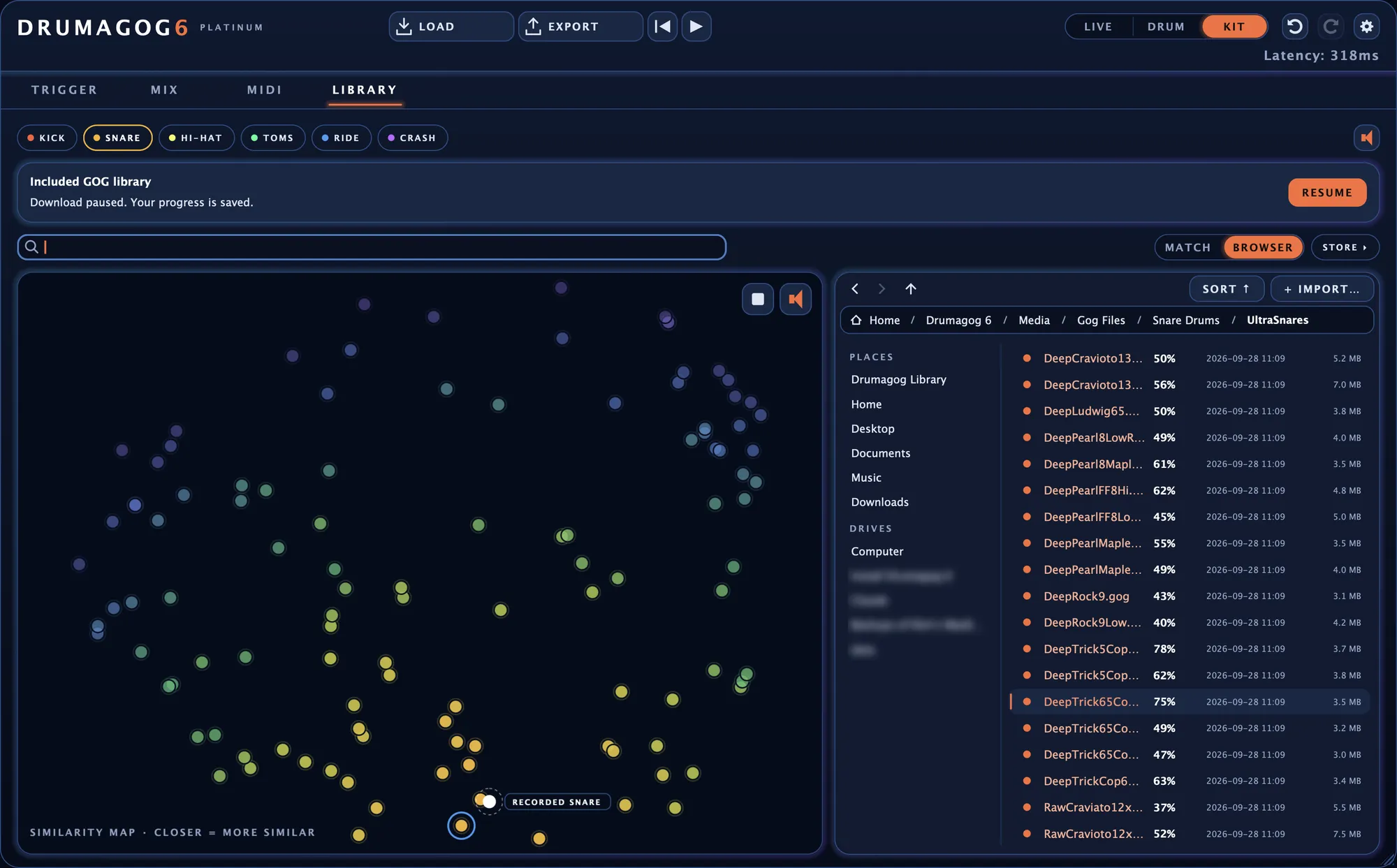
Browse your own folders too.
The browser shows your drives and folders beside the library. Besides GOGs it loads WAV, AIFF, FLAC and MP3 files straight onto a drum.
Point MATCH at the folder where you keep your sounds and it ranks everything inside.
Turn a folder of samples into a GOG.
Drop a folder of samples on Drumagog’s window and it builds a GOG from them, sorted from soft to loud by how hard each one was hit. Articulations such as rim, sidestick and flam are read from the file names. Every sample is trimmed to start right at the attack.
IMPORT brings a whole collection into your library in one go, with each folder becoming a GOG of its own.
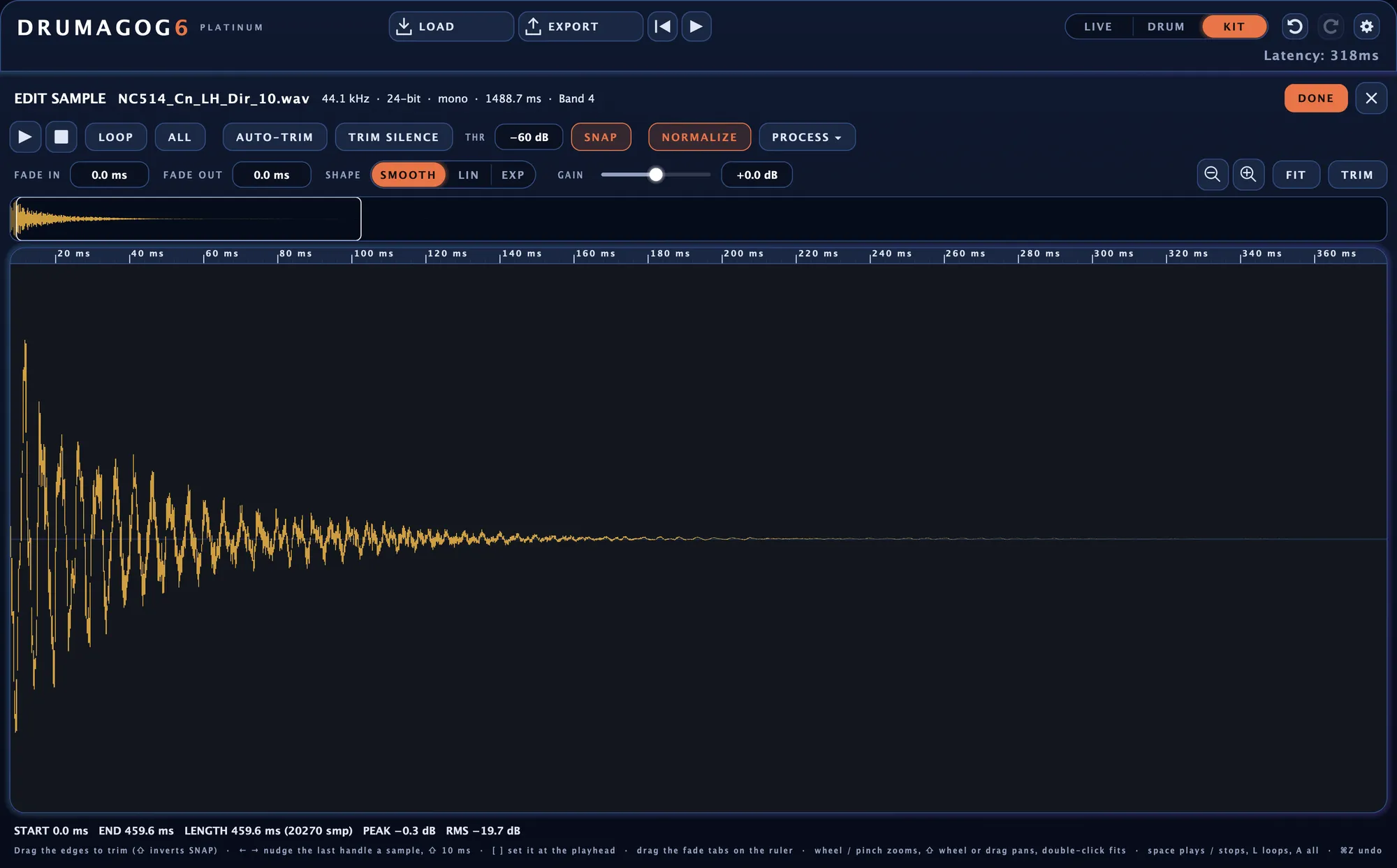
EDIT SAMPLE trims, fades and sets the level of any sample in a GOG.
The GOG editor
The GOG editor lays out every sample by dynamic group, from soft to loud. A strip along the bottom shows how hard your drummer played, right against the samples the performance will reach.
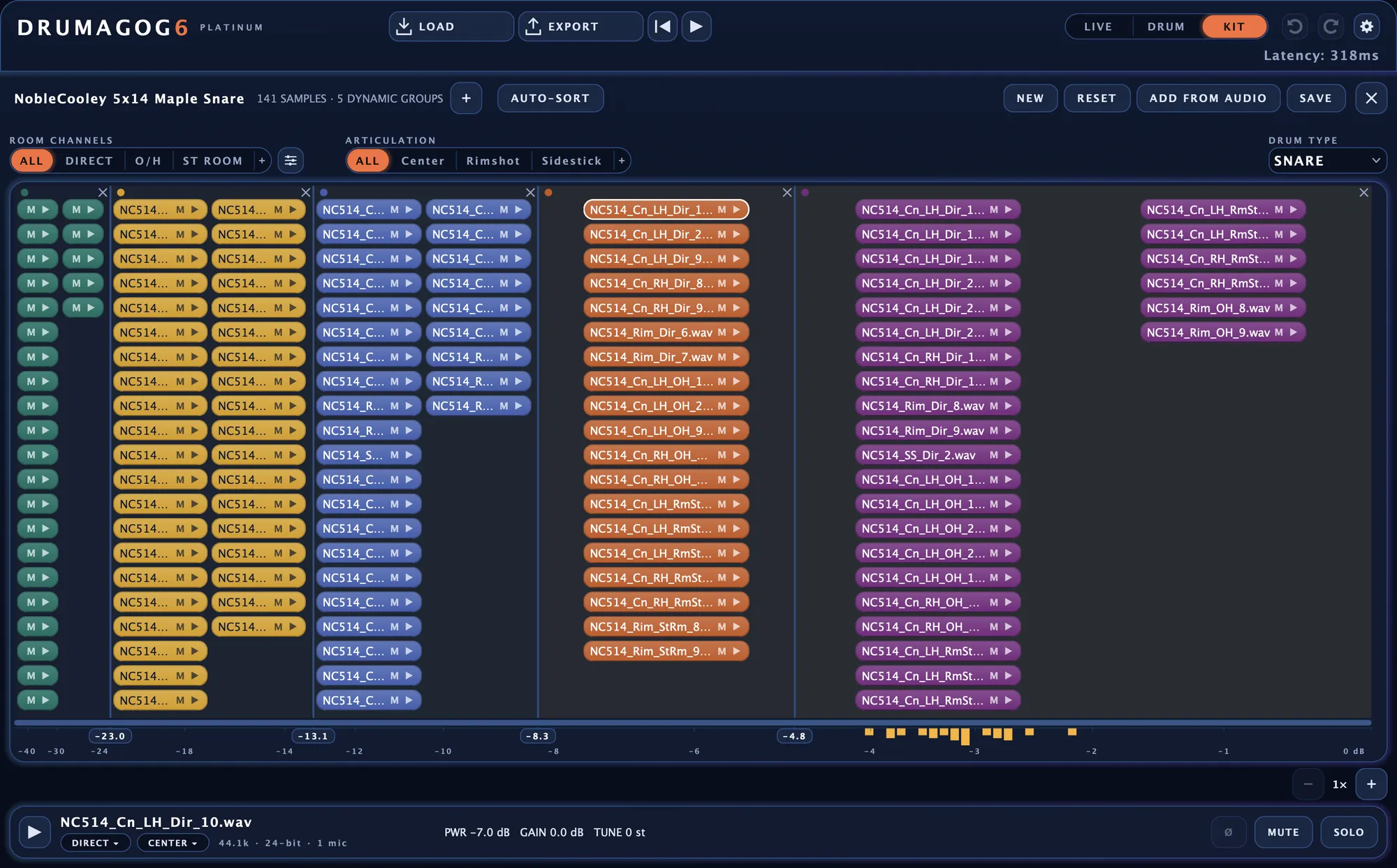
Sorting by how hard each sample was hit
Drumagog measures how hard each new sample was struck and flags any that belong in another group. AUTO-SORT moves them all in one click.
Adding the best hits from your track
ADD FROM AUDIO captures hits live from the song as it plays, or pulls every hit out of an audio file. Each one becomes a new sample in the GOG.
Room channels and articulations
Add room mics and articulations with one click and set how loud each room mic starts out when the GOG loads. A single GOG can even play four different toms, each as an articulation of its own.
Editing a single sample
EDIT SAMPLE trims and fades any sample and sets its level with up to 24 dB of gain. AUTO-TRIM and TRIM SILENCE do the trimming for you.
Whole sample libraries in GOG Maker
Point GOG Maker, our free app for building GOGs, at a whole multi-mic sample library and it sorts the files into drums, microphones and articulations for you. Each room sample is paired with the close-mic hit it was recorded with.
Ask your AI assistant
If you use an AI assistant such as Claude or Codex, GOG Maker connects to it by itself. From then on, you can simply ask for a GOG made from your samples.
How a GOG is put together
Every GOG sorts its samples three ways at once.
- Dynamic groups hold the samples from soft to loud.
- Room channels are the microphones, a close mic and up to three room mics.
- Articulations are the ways the drum was played, such as a center hit, a rimshot or a sidestick.
With several takes in each slot, ROUND ROBIN never plays the same one twice in a row.


The ROOM CHANNELS and ARTICULATION rows in the GOG editor.
Your Drumagog 5 GOGs still work.
Drumagog 6 plays every GOG from Drumagog 3, 4 and 5 as it is, without converting anything.
- Plays GOG versions 3.0 to 3.5, the formats Drumagog 3, 4 and 5 wrote
- Loads straight from the browser or with a drag onto the window
The store is inside the plug-in.
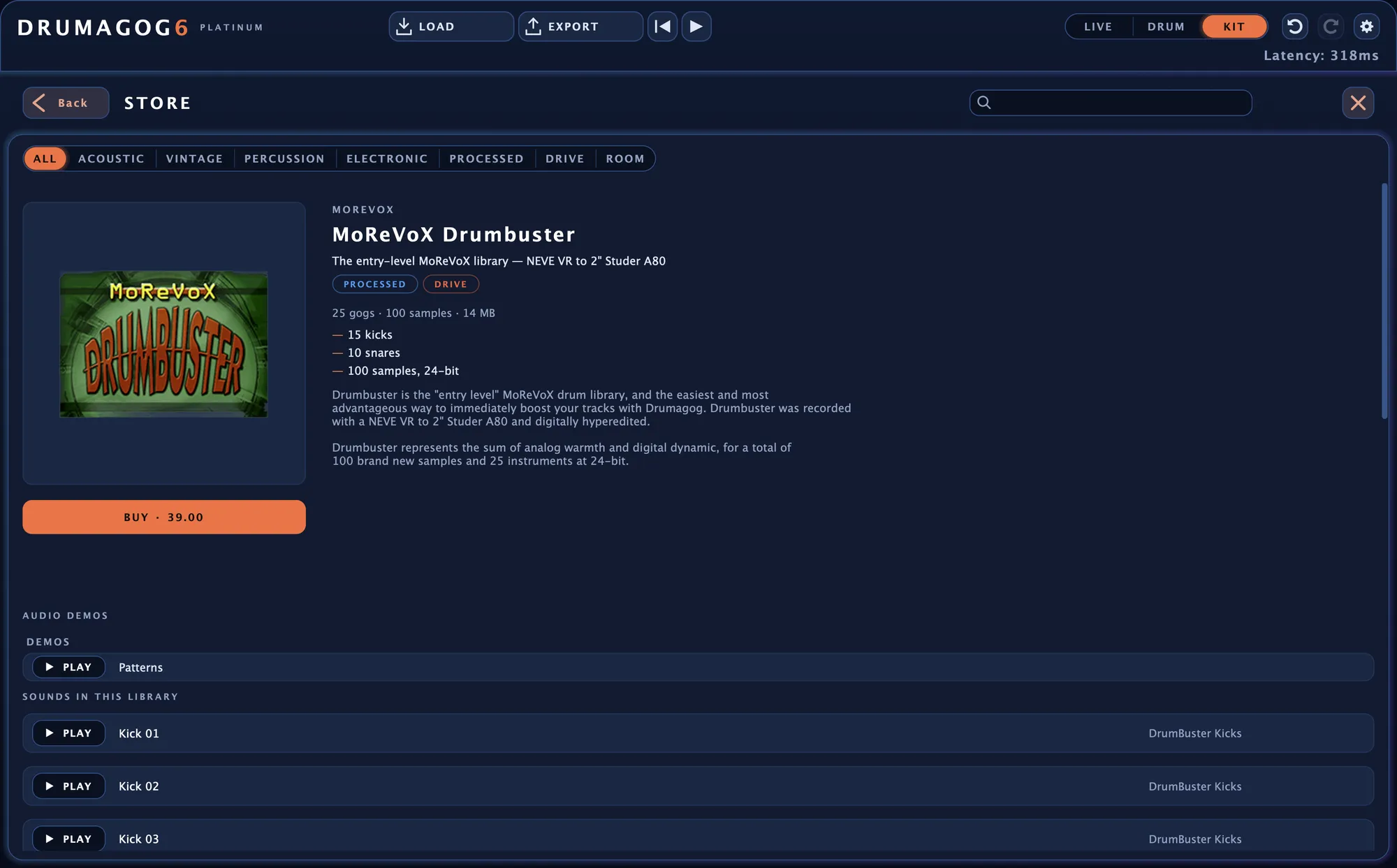
Click STORE on the LIBRARY page to browse every Drumagog library by character, with audio demos you can play before you buy. After checkout, one click on DOWNLOAD installs the library straight into your collection.
Browse the sample libraries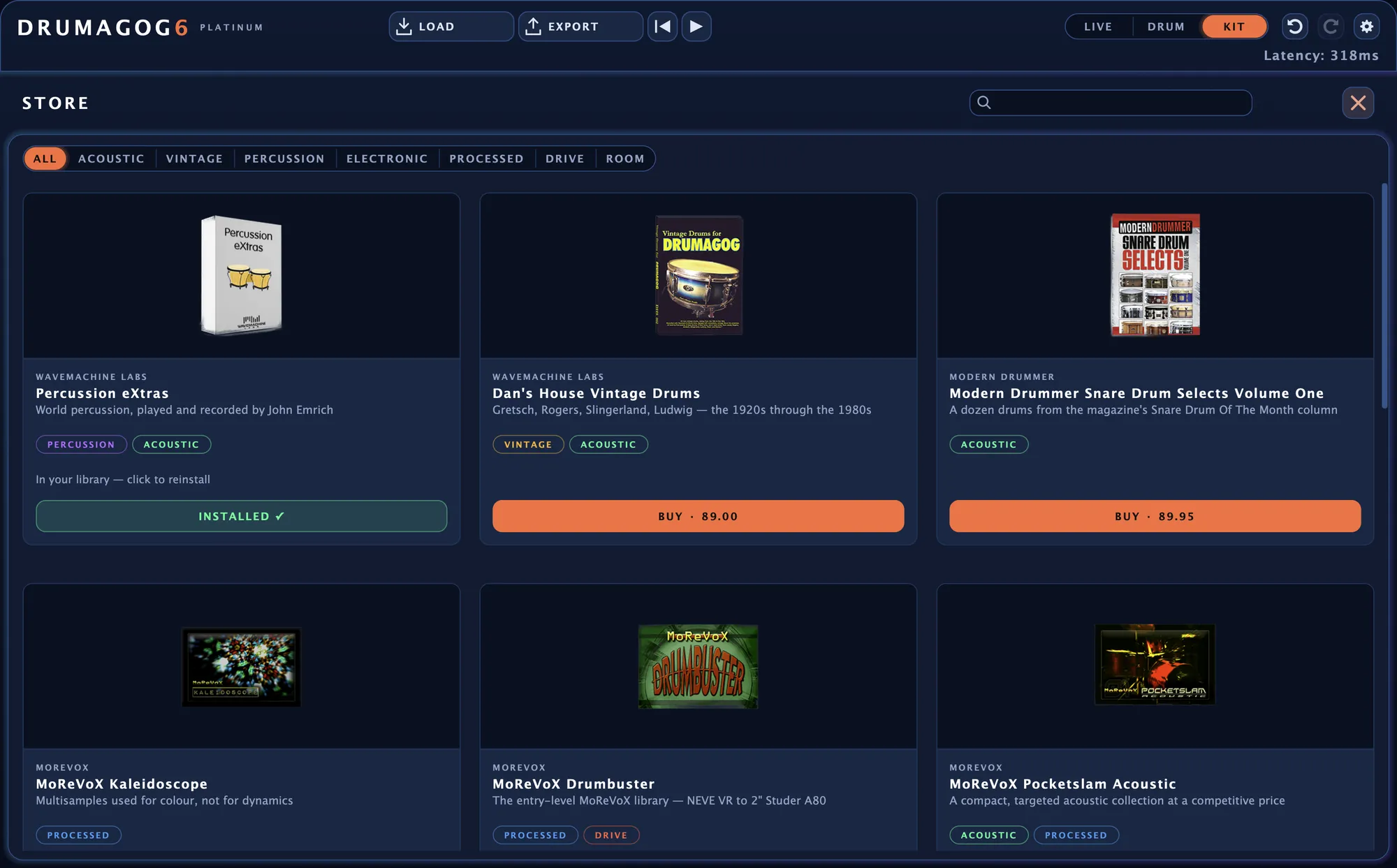
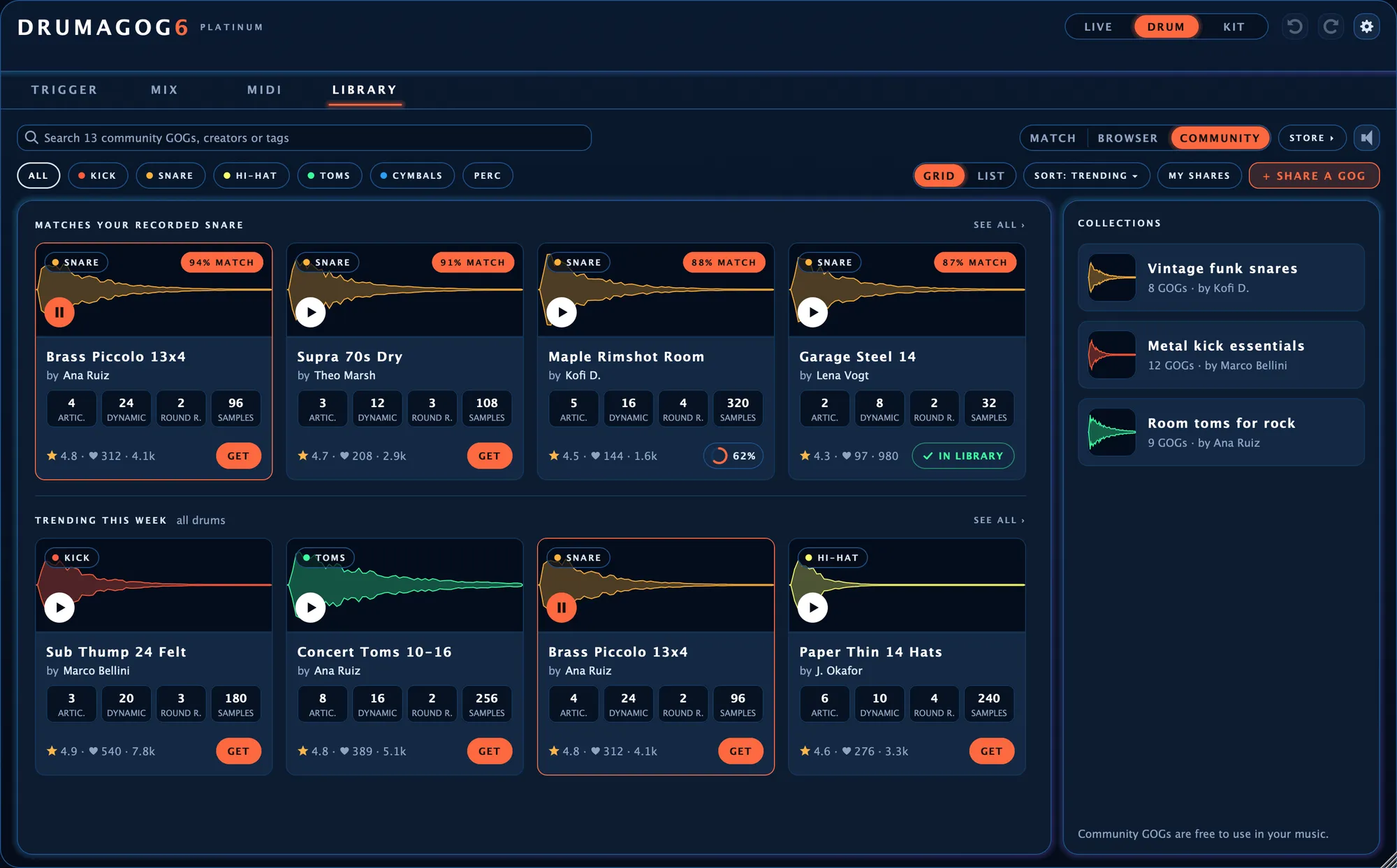
Get GOGs that other Drumagog users share.
Click COMMUNITY on the LIBRARY page to see the GOGs other Drumagog users have shared, ranked against the drum on your track. One click on GET adds any of them to your library for free.
The GOGs you make can be shared there too.
The Drumagog Community