MIDI
Every hit becomes a MIDI note you can edit.
Drumagog sends every hit it finds out as a MIDI note while it plays its samples. On the MIDI page the notes sit on a piano roll that edits like your DAW.
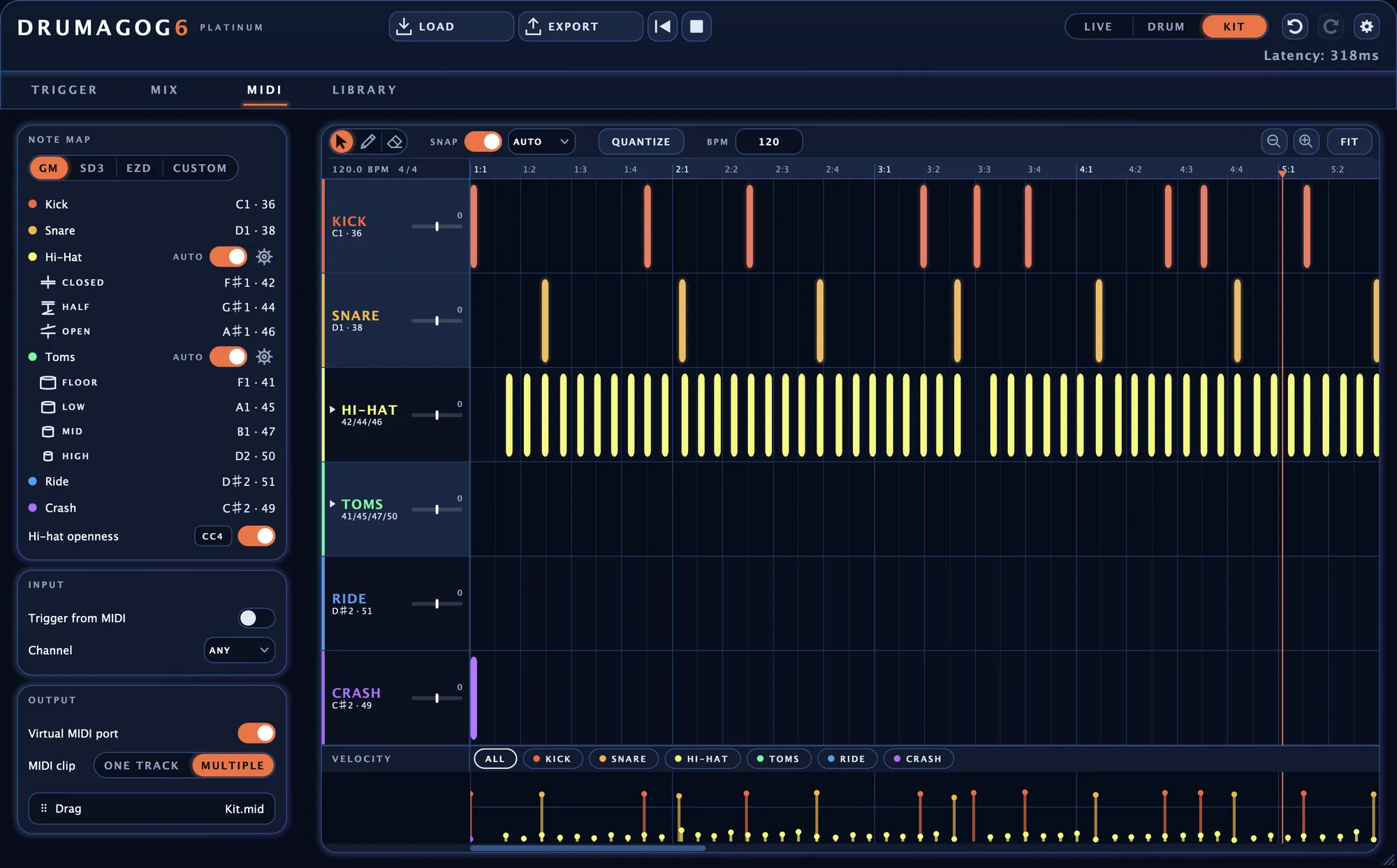
The piano roll has a row for each drum you’re replacing, six of them in Kit mode.
A piano roll that works like your DAW.
You move, copy, draw and erase notes just as you would in your DAW. The grid follows your song’s tempo and time signature. With a single keystroke you can quantize a part.
Velocity bars along the bottom let you reshape a whole passage in one drag.
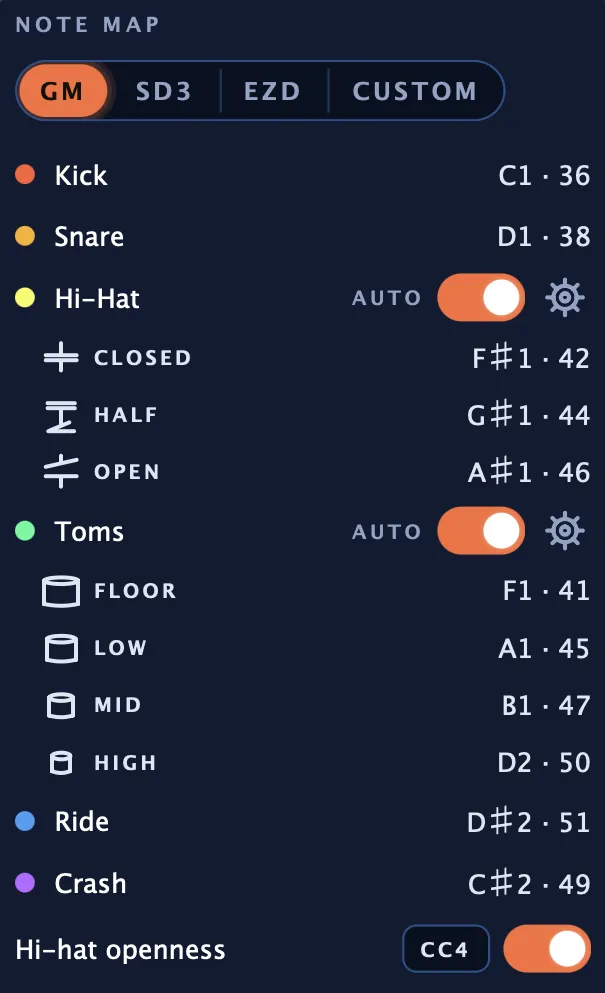
Hi-hats and toms get a note for each kind of hit. Platinum
Drumagog automatically detects how open the hi-hat was on every hit and which size of tom each hit came from. Each kind of hit then gets a note of its own, from closed to open on the hi-hat and from FLOOR up to HIGH on the toms.
Every hi-hat hit also sends how open the hat was as a MIDI controller, CC4 by default. An electronic kit’s hi-hat pedal can drive it the other way.
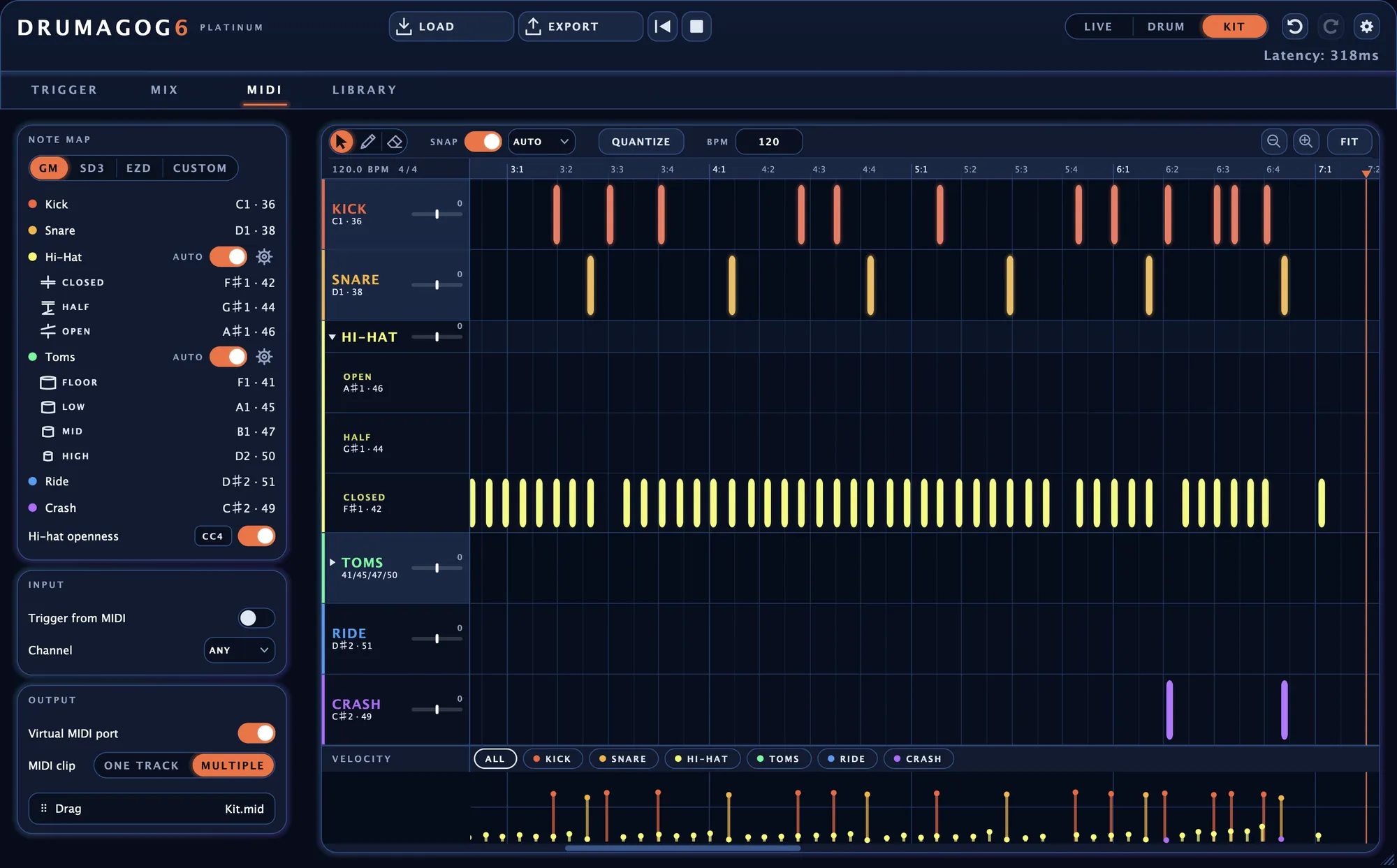
Where the notes can go
Ready-made note maps cover General MIDI and Toontrack’s Superior Drummer and EZdrummer. You can also set up a map of your own.
A clip you drag
Drag the whole take onto a track as a standard MIDI file. Dropped at bar one, it lines up with the audio. In Kit mode each drum can get a track of its own.
Your DAW’s MIDI recording
Record the plug-in’s MIDI output in your DAW and every note starts exactly where the drum was struck.
A virtual MIDI port
Switch on the virtual MIDI port and Drumagog shows up as a MIDI device called DRUMAGOG 6 that any DAW can record from.
An instrument inside Drumagog Platinum
Load a drum instrument in PLUGIN HOSTING and it plays the same notes with no MIDI routing.
Drumagog takes MIDI in as well.
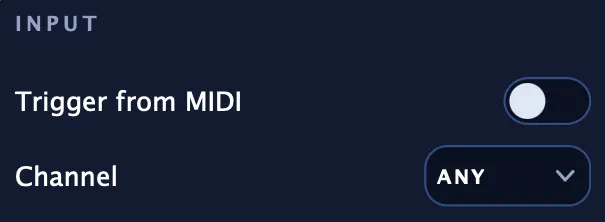
Switch on Trigger from MIDI and incoming notes play Drumagog’s GOGs, from an electronic kit or from a part you’ve programmed in your DAW. In Kit mode each note plays the drum it maps to.