Mixing & effects
Mix the drums without leaving Drumagog.
Every drum gets its own channel strip on the MIX page, with a PRE-TRIGGER page that shapes what Drumagog hears and a POST-TRIGGER page for the sound it plays. In Kit mode that means six strips side by side, plus a master.
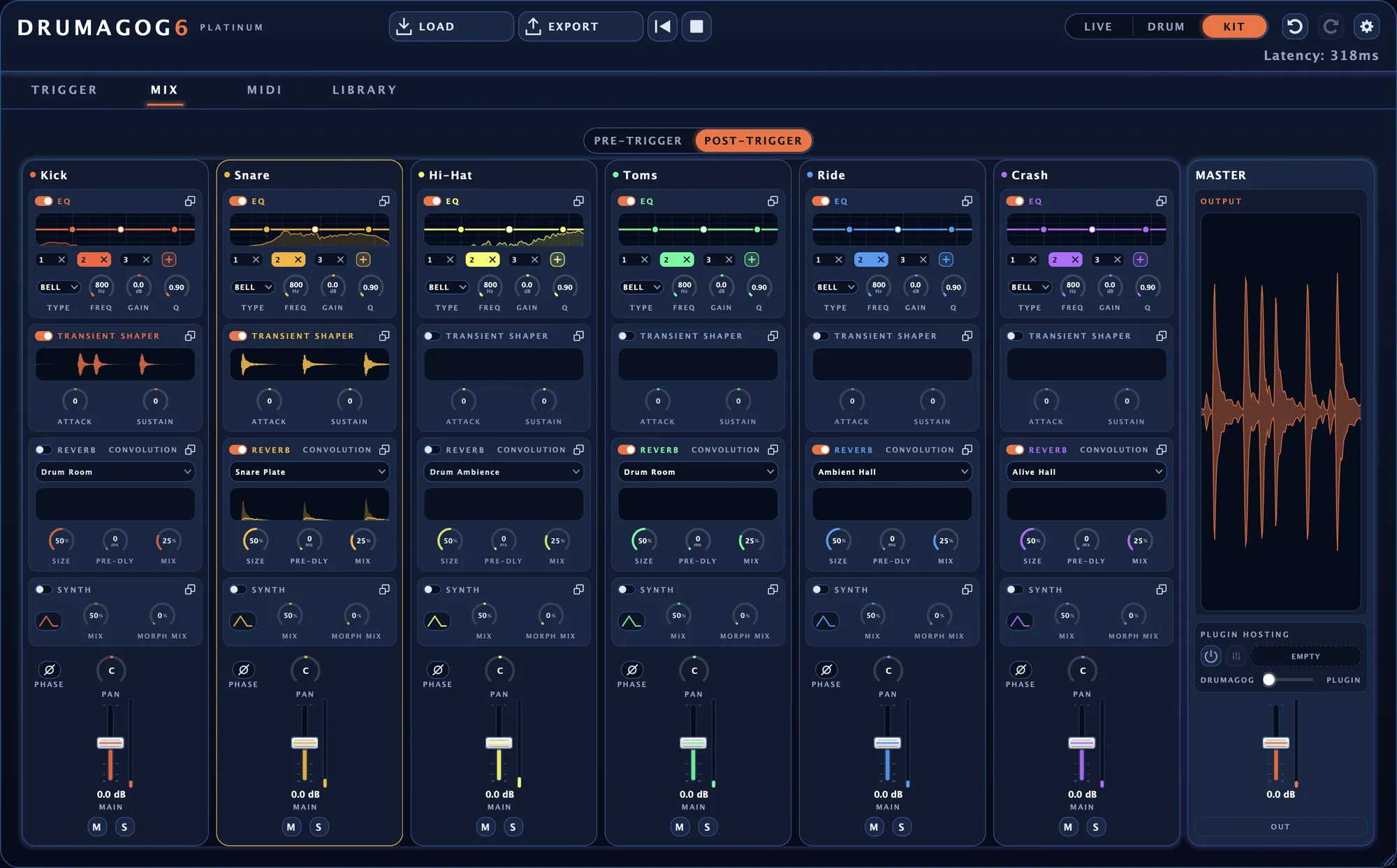
The POST-TRIGGER page in Kit mode, with a strip for each of the six drums.
Before the trigger and after it
Each page keeps its own settings. Clean up the drum Drumagog listens to on one, then mix the replacement on the other without ever touching the detection.
PRE-TRIGGER
A low cut, the gate or the transient shaper in front of the detector keeps the kick out of the snare’s triggers. Each section has a listen button that lets you hear the drum exactly as Drumagog hears it.
POST-TRIGGER
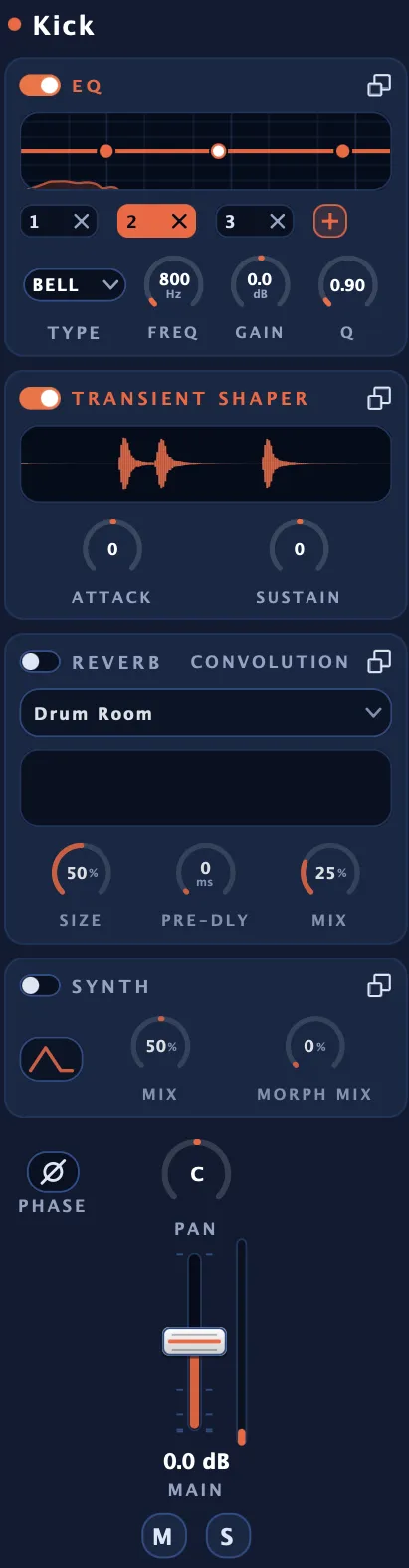
Here every drum gets an EQ, a transient shaper and a convolution reverb, along with its synth layer. Pan, fader, mute and PHASE sit at the foot of the strip.
The gate, the transient shaper, the reverb and Morph|Engine come with Platinum.
Pro strips carry the EQ and the synth layer.
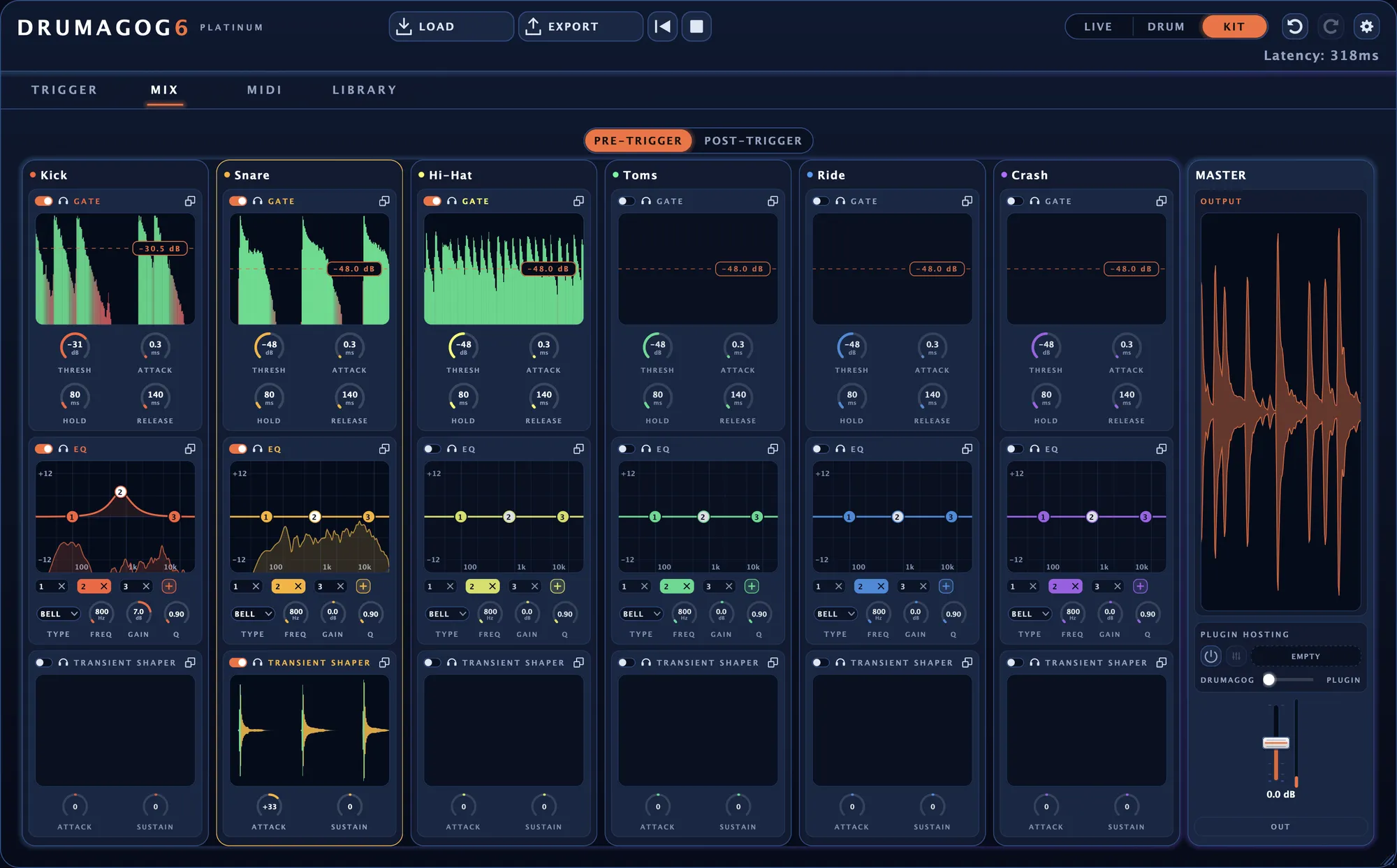
The PRE-TRIGGER page during playback. Each gate shows what it lets through in green and what it cuts in red.
An EQ you can see working
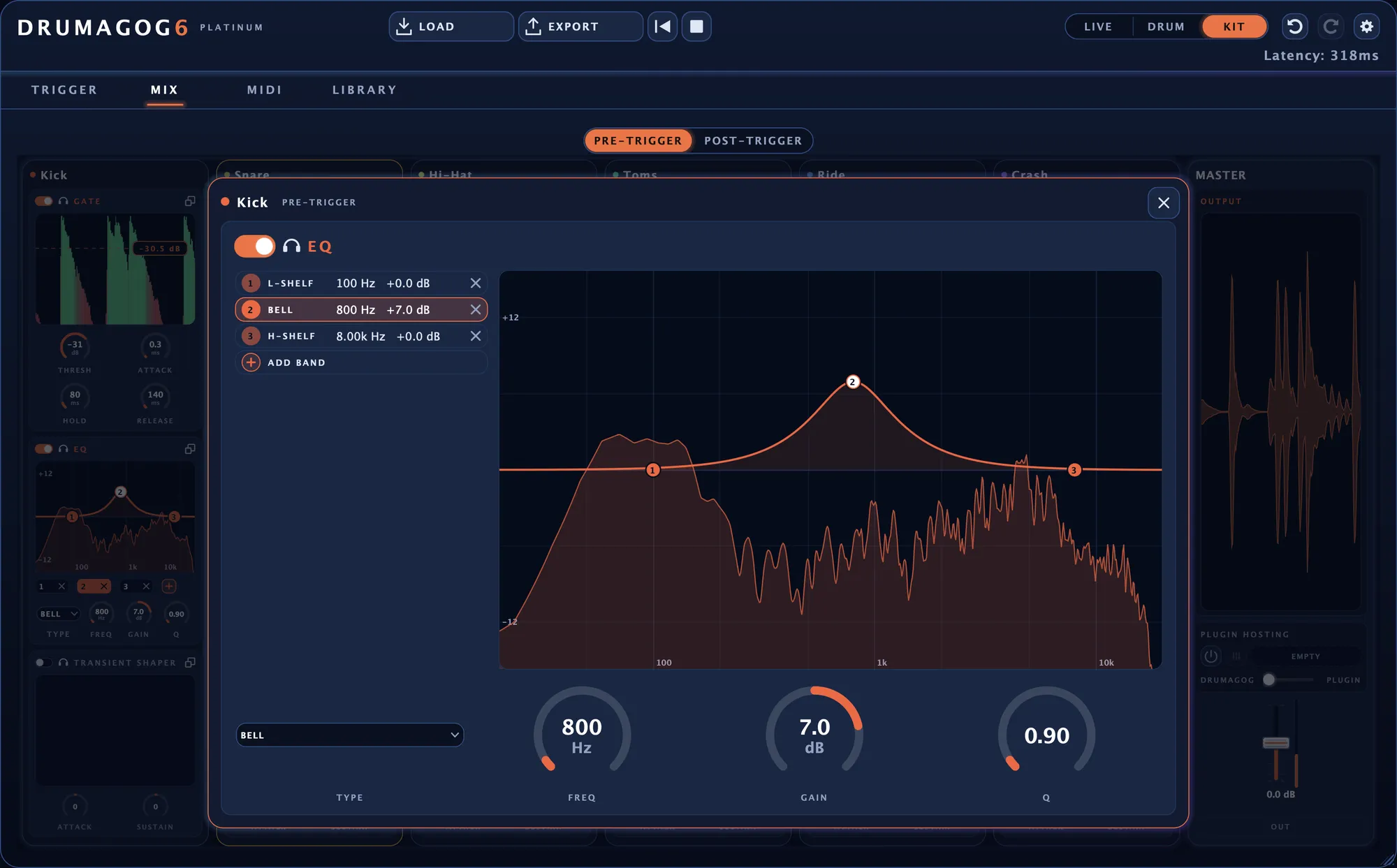
Each EQ runs up to eight bands between 20 Hz and 20 kHz, with up to 12 dB of boost or cut. Any band can be a bell, a shelf, a notch or a cut filter. Behind the curve, a live spectrum shows the signal coming out of the EQ.
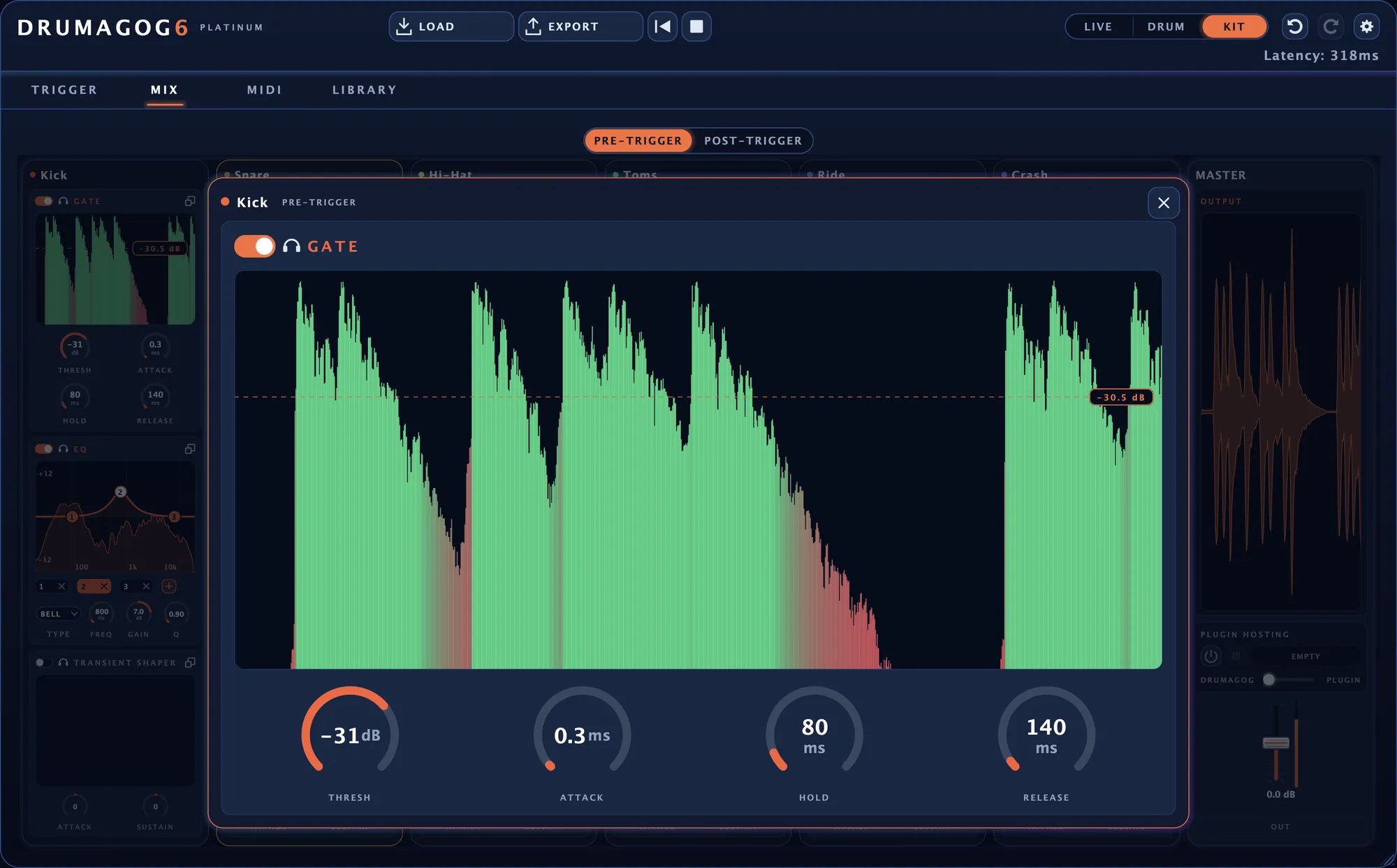
A gate that shows you what it cuts Platinum
While the song plays, the display paints what the gate lets through in green and what it cuts in red. Drag the threshold line and watch the red spread or shrink. On the PRE-TRIGGER page it stops hi-hat bleed from setting off snare hits. The gate adds no latency.
Convolution reverb Platinum
Every drum has its own convolution reverb. The thirty included impulse responses were created by MoReVoX sound designer Sabino Cannone. Each drum starts on one that suits it, such as a drum room on the kick and a plate on the snare. Load your own IRs whenever you like.
Layering a synth under the samples
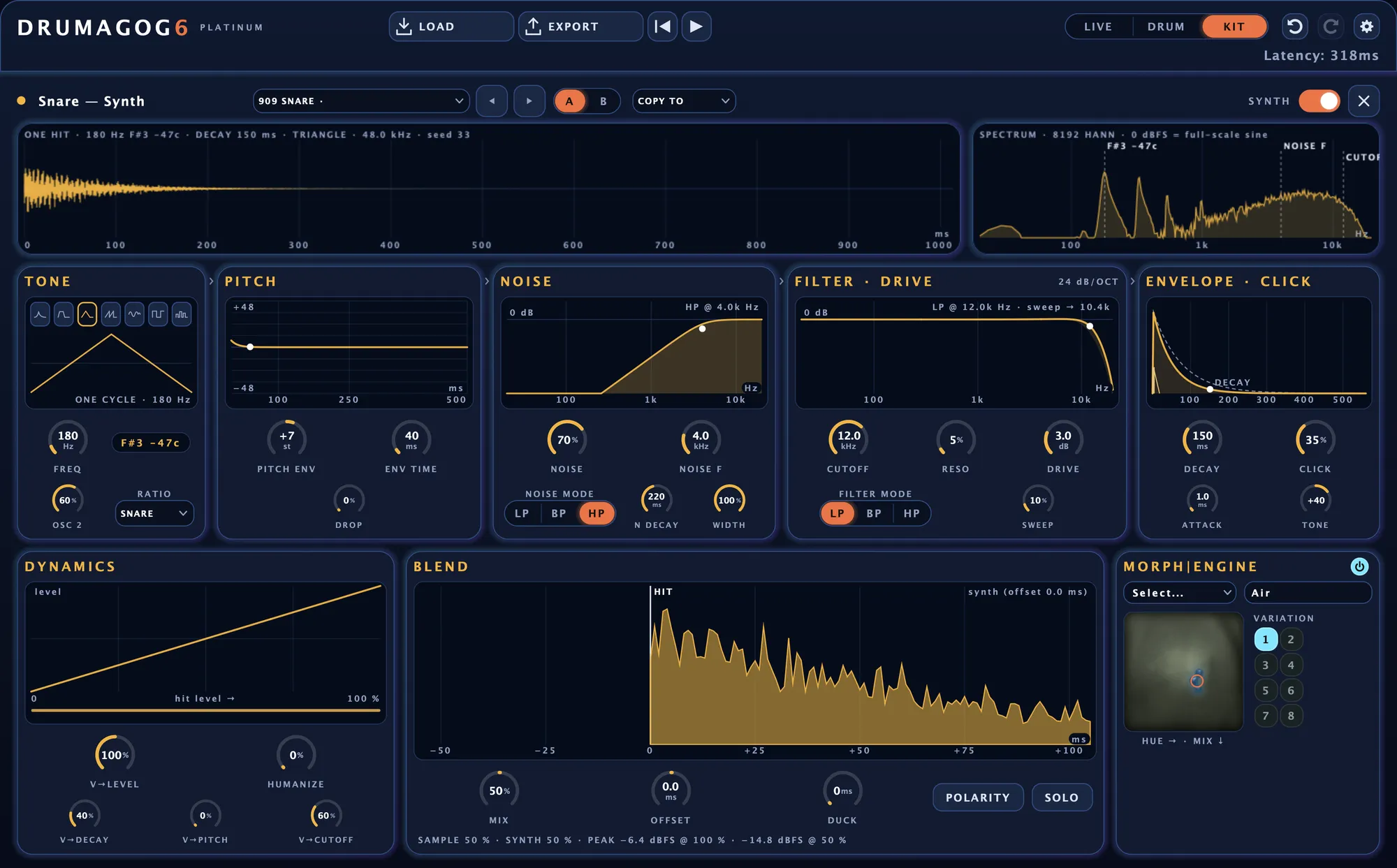
Every drum has a synth layer for adding an electronic tone under a real drum, or for reinforcing only the hardest hits. Start from one of 24 presets and shape the tone, the pitch sweep and the noise. For hats and snare wires there’s a metallic CLUSTER waveform. COPY TO sends the finished synth to another drum or to all of them.
Morph|Engine reshapes every hit Platinum
Morph|Engine was created in collaboration with MoReVoX sound designer Sabino Cannone. It reshapes each hit according to how hard it was struck, following the drummer’s dynamics. On a snare it can add a growl. A kick can come out sounding as though its head is looser.
Twenty-five morph banks come with Drumagog, with names such as Air, MetalTank and SonicTube. Drag across the pad to set the color and the amount of the effect, then pick one of eight variations of the bank.
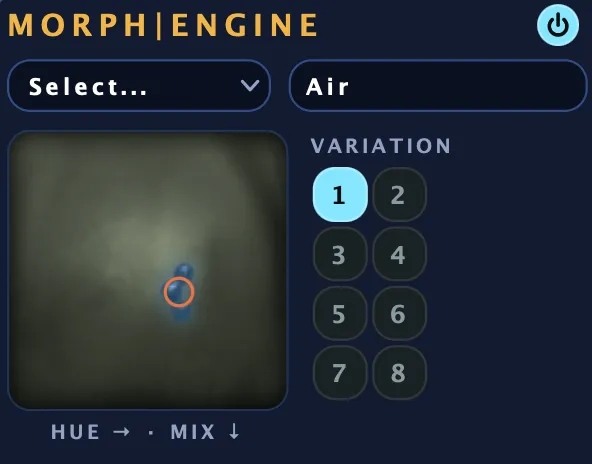
Morph|Engine in the synth editor, with the Air bank loaded.
Play your own drum instrument from the hits Platinum
Load a drum instrument such as Superior Drummer, EZdrummer or BFD inside Drumagog. It plays from the same hits as your GOGs, with the notes and velocities you see on the MIDI page. Any VST3 instrument works on both platforms, as do Audio Unit instruments on a Mac.
Blend it with your samples
The DRUMAGOG ↔ PLUGIN slider crossfades between your samples and the instrument.
Mix its outputs
A multi-output instrument gets a fader and a meter for every output, named the way the instrument names them.
Small things you’ll use every session
A separate output for each drum
In Kit mode, six more stereo outputs carry each drum strip on its own, sample-aligned with the main output. In Pro Tools and REAPER every drum can get its own track.
Set all six drums at once
In Kit mode one move can set a knob, fader or switch on every drum at once as a single undo step.
Bigger windows for detail work
Any section opens in a larger window with the same controls, for placing an EQ point exactly where you want it.
Automation from your DAW
Nearly every control can be automated. Each one is listed by name with the drum first, as in Snare Blend.
Mix a whole kit inside one plug-in.
The free trial includes every effect on this page.