Triggering & alignment
Accurate triggering you can see and fix.
Three modes cover everything from live tracking to replacing a whole kit from the drum bus.
The three modes
Built for tracking and playing live, where the drummer plays along with the replaced sound in real time.
The everyday choice for mixing. It catches the ghost notes, ignores the drum’s own ring and gives you an editable timeline of every hit.
One instance on a drum bus, an overhead pair or a room mic. Drumagog finds the hits on all six drums and checks each one against the whole kit.
You decide what counts as a hit.
In Drum mode you set THRESHOLD and DETAIL right on the waveform and hear the hits update while you drag. RETRIGGER keeps a ringing drum from firing twice. In Kit mode each of the six drums has settings of its own.
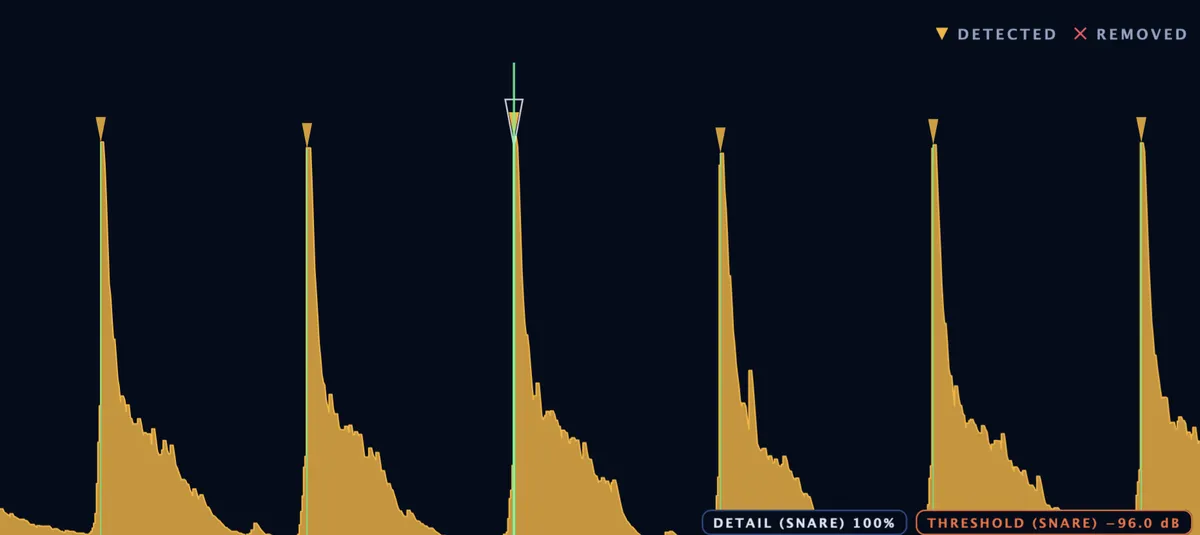
Every hit is yours to fine-tune.
Move any hit, change its velocity, add the ones you want and remove the ones you don’t. You can even choose the exact sample a single hit plays, like a rimshot in the middle of a fill.

Fixing many hits at once
When bleed triggers the same false hit all through a song, fix it once. Select one of the false hits and Drumagog finds every hit on the track that sounds like it, loud or soft.
REMOVE SIMILAR
If the hi-hat is triggering false hits on the snare track, select one of those hits and press REMOVE SIMILAR. Every hit on the track that sounds like it disappears in one step.
KEEP SIMILAR
On a tom track full of bleed, select one real tom hit and press KEEP SIMILAR. Drumagog keeps only the hits that sound like it.
One instance for the whole kit Platinum
Put Drumagog on the drum bus and Kit mode gives you six drums to work with, each with its own lane on the TRIGGER page and its own strip on the MIX page.
A separate output for each drum
Six extra stereo outputs carry each drum’s strip, ready to route to tracks of their own (in compatible DAWs).
Ready when you press play
Choose Kit mode while your DAW is stopped and it’s ready the moment you press play.
Every sample lands on the hit.
SHOW ALIGNMENT draws each replacement over your waveform exactly where it plays.
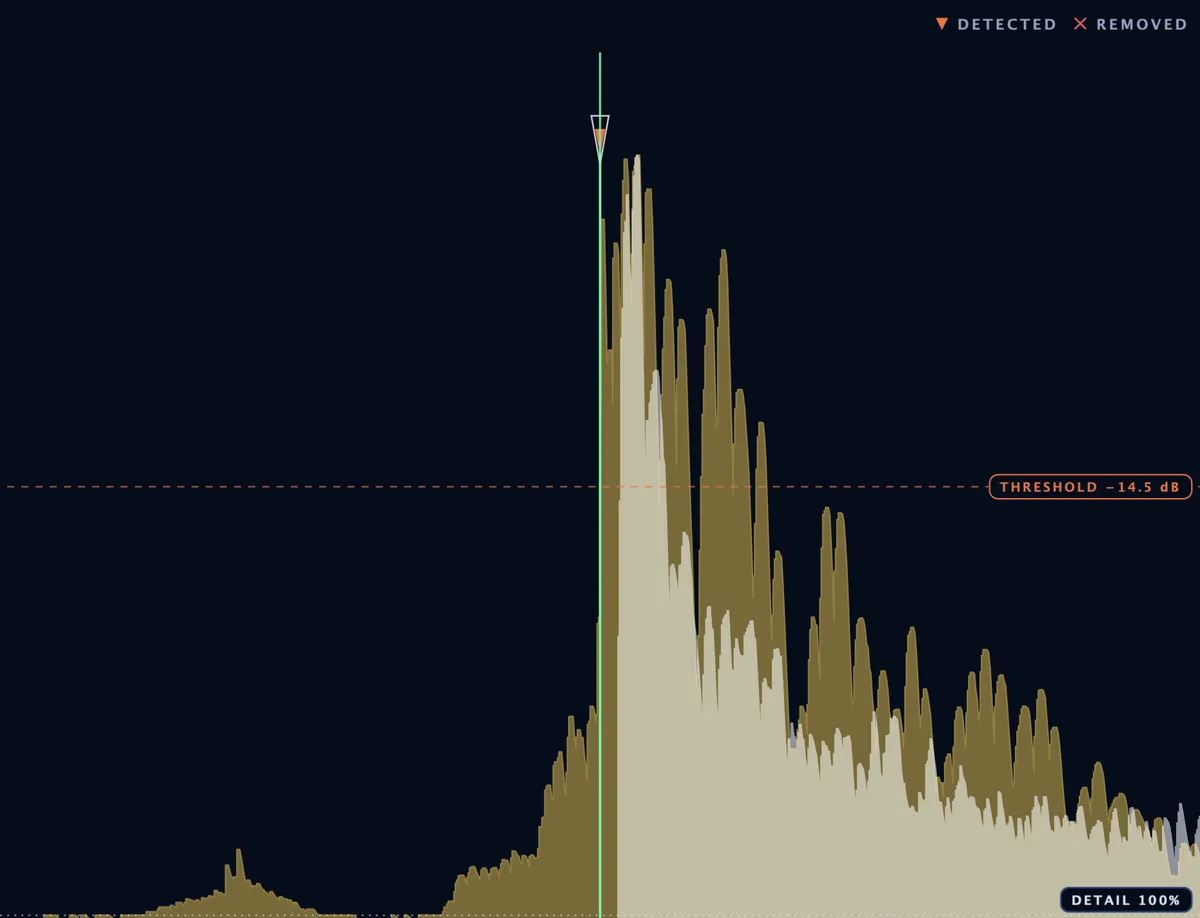
One kick hit with SHOW ALIGNMENT on. The replacement sits in white over the original.
Align to Phase
The default setting lines up the body of each sample with the original drum.
Align to Transient
When your drum and the sample are tuned differently, Align to Transient puts the start of each sample right on the start of the hit.
Hi-hats and toms play the right articulation on their own. Platinum
Drumagog hears how open each hi-hat hit was and plays the matching articulation. A pedal sweep moves through your samples from closed to open.
Toms are sorted by pitch into four sizes, from FLOOR up to HIGH, each with its own sample and MIDI note. In Kit mode all of this works straight off the drum bus.
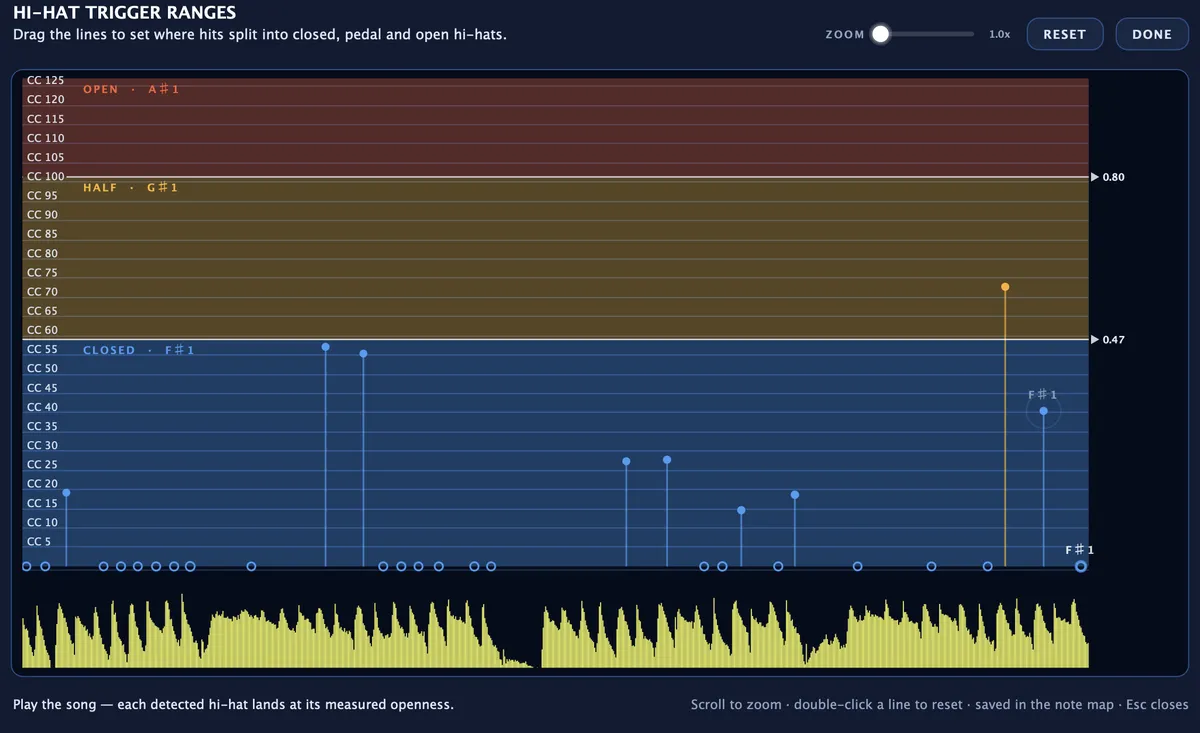
The HI-HAT TRIGGER RANGES window shows how open each hit was.
Layer several GOGs on one drum. Platinum
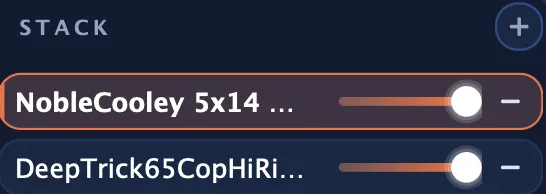
Stack a tight snare with a big one to get the crack of the first and the body of the second. Up to 64 layers fit on one drum. Each can be tuned, shaped and leveled on its own.
Samples that follow the drummer
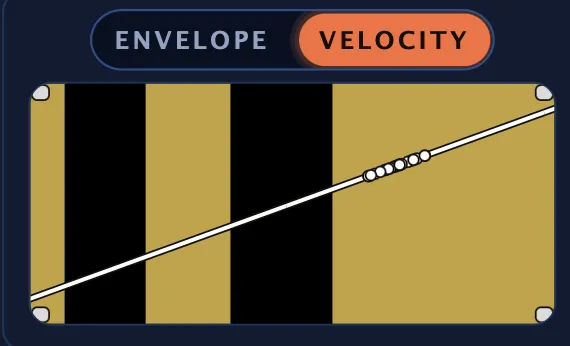
Drumagog matches every hit to the GOG’s dynamic layers by how hard it was played. The VELOCITY tab shows which layers the performance reaches and lets you bend the curve with a drag.
DYNAMIC TRACKING sets how much of the drummer’s range you keep. ROUND ROBIN and hand switching keep fast passages from sounding machine-gunned.
Shaping how the sample plays
BLEND
Blend the sample with the original drum to keep the room sound and add the crack a dull head lost.
STEALTH MODE
STEALTH MODE replaces the track only around the hits. Between them the original plays through untouched.
PITCH and SPEED
PITCH tunes a sample up or down by as much as twelve semitones and keeps its length. SPEED shortens or lengthens it without changing the pitch.
ENVELOPE
An attack, hold and release envelope shapes each sample. Use it to soften a kick’s click or cut a cymbal short.
ROOM CHANNELS
A GOG can hold up to three room mics besides the close mic. Each one has its own level, solo and mute.
Bleed Reduction and Auto Ducking
Bleed reduction keeps the kick from triggering the snare mic’s copy of Drumagog. With auto ducking, one track turns down whenever another drum plays. Both work between copies of Drumagog without any complicated routing.
Try it on a track that has beaten you before.
The trial runs for seven days with every feature switched on.