Specs & FAQ
Specs and requirements
This page covers system requirements, formats and the latency of each mode, then the questions buyers ask most. Other questions are welcome at support@drumagog.com.
System requirements
| macOS | macOS 10.13 High Sierra or later, native on Apple Silicon and Intel. |
|---|---|
| Windows | Windows 10 or later, 64-bit. |
| Disk space | About 1 GB, plus 2.75 GB for the factory GOG library. |
| Kit mode | A modern computer runs one Kit mode instance on the drum bus comfortably. The free trial shows how it runs on yours. |
| Virtual MIDI port | macOS, or Windows 11 25H2 and later. |
| License | Licensed to your drumagog.com account. Sign in once on each computer and Drumagog works offline from then on. No iLok or dongle. |
Formats and latency
| Plug-in formats | VST3 and AAX on macOS and Windows, plus Audio Unit on macOS, with ARA 2 in VST3 and Audio Unit. Both platforms include a standalone app. |
|---|---|
| Audio | Mono or stereo in, stereo out. |
| Drum outputs | In Kit mode, six extra stereo outputs carry each drum’s strip, post-fader. They work in DAWs that allow extra outputs on an effect plug-in, such as Pro Tools and REAPER. |
| Live latency | About 2 ms. |
| Drum latency | 80 ms. |
| Kit latency | About 312 ms. |
| MIDI | MIDI out in every format, MIDI in for triggering, a virtual MIDI port and a MIDI clip you drag out. |
| Plugin hosting | One VST3 instrument, or an Audio Unit instrument on macOS, with up to 24 output channels. Part of Platinum. |
| Automation | Nearly every control, each listed under its drum’s name. |
What you get
The plug-in and the app
VST3, Audio Unit, AAX and the standalone app install together in one step.
Content
Thirty impulse responses for the reverb, twenty-five morph banks and five demo GOGs.
The factory library
A paid Pro or Platinum license includes the factory library of 536 GOGs. Drumagog downloads and installs it for you as soon as you activate.
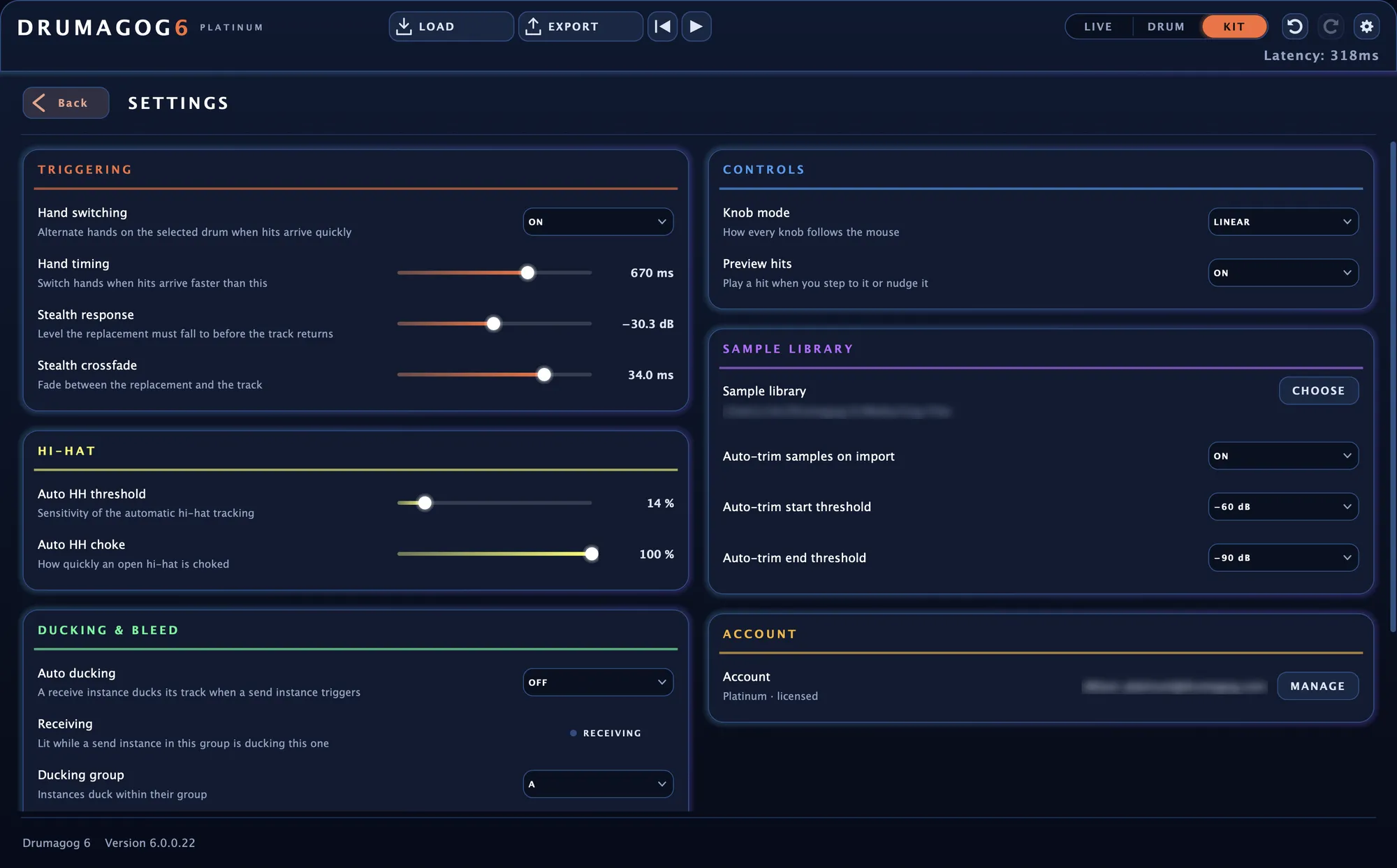
The SETTINGS window.
Questions and answers
Will my Drumagog 5 GOGs still work?
Yes. Drumagog 6 opens every one of them as it is.
Can I keep Drumagog 5 installed?
Yes. The two versions install separately and work independently.
Which features need Platinum?
Kit mode, automatic hi-hat and tom tracking, STACK, the gate, the transient shaper, the convolution reverb, Morph|Engine and plugin hosting. The free trial includes all of them.
What does the free trial include?
The complete Platinum edition for seven days, with five demo GOGs and any samples of your own. The full factory library comes with a paid license.
Does the trial add beeps or noise to my audio?
No. The trial sounds exactly like the full version.
Where is my audio processed?
Entirely on your own computer, Kit mode included.
Do I need an internet connection?
Only to sign in the first time on each computer, to download the included library and to use the store. After that Drumagog works offline for as long as you like.
Which DAWs support ARA 2?
REAPER, Studio One (as an Event FX), Cubase and Nuendo. In every other DAW Drumagog works as a regular insert.
Will Kit mode run on my computer?
A modern computer runs one Kit mode instance on the drum bus comfortably. The free trial is the best way to see how it runs on yours.
Can I send the six drums to separate outputs?
Yes. In Kit mode each drum strip has a stereo output of its own, in DAWs that allow extra outputs on an effect plug-in, such as Pro Tools and REAPER.
Can I use my own samples?
Yes. Drop an audio file onto a drum to play it right away, or drop a folder to build a GOG from it. + IMPORT… on the LIBRARY page brings a whole collection into your library.
What sounds come with Drumagog?
A paid Pro or Platinum license includes the factory library of 536 GOGs. The store inside Drumagog adds collections from us and from other publishers, each with demos you can audition before you buy.
How do I save my settings?
Drumagog saves everything with your DAW project. Save a setup you like as a plug-in preset in your DAW. The synth layer has presets of its own.
How many instances can I run?
As many as your computer can handle. A typical setup is one Kit mode instance on the drum bus with Drum mode on the close mics.
How do I move to a new computer?
Sign in on the new computer with your drumagog.com account. Each time you sign in, Drumagog downloads the keys for every library you own.